Since September was a while ago, I'll keep this short. Most of Sept. was figuring out the class/work/research schedule. It had been a 2 years since I've taken anywhere near a full load of classes, and it's funny how quick you forget the work a class takes.
OSG Software
During September, I continued to help with the OSG software effort. By the beginning of September, I had handed most of my tasks off to others, but I still contributed here and there. I especially contributed to discussions on the software that I had built, this was especially evident for the Condor build in the OSG repositories.
For the OSG Condor build, I backported the 7.7 builds from the Fedora distribution. There was some discussion on the method I choose to build the Condor version was the best. I would argue it is the best of a bad situation. There is no 'proper' build of Condor for RHEL5. This is very much on purpose, since Redhat won't allow a EL5 build of Condor in EPEL since it's distributed in their MRG product. Also, the RPM's that the Condor team produce do not conform to the OSG software standards. They are statically linked against a lot of libraries. They don't have source RPMs. They also just recently started putting things in the right locations, /etc, /usr/bin...
But, by backporting the Fedora build, we didn't get CREAM support. We never had CREAM support before in the VDT, but we would still like it, since it's in the 'binary blob' Condor builds. We would need a properly packaged CREAM client in order to do this.
I'm also not a fan of removing Condor from the osg-client. Condor has been a member of the OSG client since the very beginning. Condor-G is the base method for submitting globus jobs for almost all systems we use today. I can imagine a user downloading the osg-client, then wanting to run a job. But they can't, because they need to install Condor too (which is easy, but still).
SuperComputing Conference Prep
In the month of September, I started developing and forming my idea for Supercomputing visualization. If you don't know, I LOVE visualizations. Especially when it explains a very complex system in an understandable way. Self promotion: Youtube channel
The first task for SuperComputing was to add GLOW usage to the google earth display. While I was at it, I added documentation on how to install and run the OSG google earth display on the twiki.
There where no great ideas on how to expand the current google earth display. We could add transfers, but we don't have good transfer accounting on a per-VO level. Plus, not many VO's do file transfers outside of CMS and ATLAS. Another idea was to incorporate globus online traffic. But again, I don't think the number of transfers, especially to and from OSG sites, is high enough to show that traffic. Maybe one day it will...
So, I turned to something that I had wanted to learn for a while, Android. In the course of a weekend, I built an OSG Android App. After demonstrating the app at HCC for a week, I was able to purchase a Android tablet that will be interactively displayed at SuperComputing. The goal of the application is to provide interactive status of the OSG. Either at the site level, or by VO.
Campus Grids
We got Bill from VT running through the Engage submit host. He is flocking to the Engage submit host, and then out to the OSG, all while using whole machine slots. Additionally, he's flocking to campus factories that are also running whole machine jobs. He was very quick to get it setup, and then start running actual science through the system. His usage is currently monitored by gratia. He hasn't been real active lately, you may need to expand the start and end dates. We should thank the Renci admins Brad and Jonathan for their with the setup, they have been super fast learners of the glideinwms system. And, maybe more importantly, willing to experiment!
There where a few issues this month with Gratia collection. It mostly boils down to mis-understandings on what we are accounting, what is possible (practical) to account (not the same as what we are accounting), and what counts as an 'OSG job'.
We enabled Florida running with the campus factory. They had it setup before, but something had changed and caused some held jobs. It turned out to be harmless, but still a sign of how multiple layers can complicate the system. At least the users only see 1, Condor.
Cloud Platform
When I got back after spending the summer at FNAL, there where a few changes at HCC. First, we had a 'cloud' platform that was just starting to take shape. HCC built a Openstack prototype on a few nodes. I helped beta test the cloud, figuring out a few bugs. I'm happy to report that it is now 'just working'. It has been especially useful when I want to try out new software quickly. For example, last week I quickly installed CEPH distributed file system, and found it usable. It also has been very useful for quick install tests of OSG software.
Misc.
Started using the GOC factory. Very happy to have some fault tolerance on our GlideinWMS install. Though in practice, UCSD has been very stable, it's a nice piece of mind.
New user on our glideinwms machine. Monica from Brown university running some Neutrino experiments (I'm not a physicist!) . For now she's running as HCC, but that may change in the future if usage increases.
Various Grid administration of the HCC site. I've been transitioning off of administrating most of the HCC resources that I used to maintain, freeing me for class work mostly.
Tuesday, October 25, 2011


Friday, October 21, 2011
SC11 Visualization Prep
Last year I put together a visualization for SuperComputing 10' to show jobs moving over the OSG.

This visualization has since played at HCC on the tile wall. Here's a video from youtube.
I will be showing it again this year at SC11 in Seattle. I also will be showing my OSG android tablet application, which is currently on the App Store:

Instructions for installing and running this visualization are at:
https://twiki.grid.iu.edu/bin/view/Main/InstallingOSGGoogleEarth

This visualization has since played at HCC on the tile wall. Here's a video from youtube.
I will be showing it again this year at SC11 in Seattle. I also will be showing my OSG android tablet application, which is currently on the App Store:
Instructions for installing and running this visualization are at:
https://twiki.grid.iu.edu/bin/view/Main/InstallingOSGGoogleEarth
Friday, October 14, 2011
CEPH on Fedora 15
Yesterday, I read a blog post using CEPH for a backend store for virtual machine images. I've heard a lot about ceph in the last year, especially after it was integrated into the mainline kernel in 2.6.34. So I thought I'd give it a try.
Before I get into the install, I want to summarize my thoughts on Ceph. I think it has a lot of potential, but parts of it are trying too hard to do everything for you. I always think there is a careful balance between a program doing too much for you, and making you do too much. For example, the mkcephfs script that creates a ceph filesystem will ssh to all the worker nodes (defined in ceph.conf) and configure the filesystem. If I was in operations, this would scare me.
Also, the keychain configuration is overly complicated. I think the Ceph is designed to be secure over the WAN (secure, not encrypted), so maybe it's needed. But it seems overly complicated when you compare it to other distributed file systems (Hadoop, Lustre).
On the other hand, I really like the full posix compliant client, especially since it's in the mainline kernel. It is too bad that it was added in 2.6.34 rather than 2.6.32 (RHEL 6 kernel). I guess we'll have to wait 2 years for RHEL 7 to have it in something we can use in production.
Also, the distributed metadata and multiple metadata servers are interesting aspects to the system. Though, in the version I tested, the MDS crashed a few times (the system picked it up and compensated).
On Fedora 15, ceph packages are in the repos.
The configuration I settled on was:
As you can read from the configuration file, all files are stored in /srv/ceph/... You will need to make this directory on all your worker nodes.
Next I needed to create a keyring for authentication with the client/admin/dataservers. The keyring tool is distributed with Ceph, and is called cauthtool. Even now, it's not clear to me how to use this tool, or how Ceph uses the keyring. First you need to make a caps (capabilities?) file:
Here are the cauthtool commands to get it to work.
From the blog post linked above, I used their script to create the directories and copy the ceph.conf to the other hosts.
Then copy the keyrings
Then startup the daemons on all the nodes:
And to mount the system:
Where the secret is the output from the command:
Before I get into the install, I want to summarize my thoughts on Ceph. I think it has a lot of potential, but parts of it are trying too hard to do everything for you. I always think there is a careful balance between a program doing too much for you, and making you do too much. For example, the mkcephfs script that creates a ceph filesystem will ssh to all the worker nodes (defined in ceph.conf) and configure the filesystem. If I was in operations, this would scare me.
Also, the keychain configuration is overly complicated. I think the Ceph is designed to be secure over the WAN (secure, not encrypted), so maybe it's needed. But it seems overly complicated when you compare it to other distributed file systems (Hadoop, Lustre).
On the other hand, I really like the full posix compliant client, especially since it's in the mainline kernel. It is too bad that it was added in 2.6.34 rather than 2.6.32 (RHEL 6 kernel). I guess we'll have to wait 2 years for RHEL 7 to have it in something we can use in production.
Also, the distributed metadata and multiple metadata servers are interesting aspects to the system. Though, in the version I tested, the MDS crashed a few times (the system picked it up and compensated).
On Fedora 15, ceph packages are in the repos.
yum install ceph
The configuration I settled on was:
[global]
    auth supported = cephx
    keyring = /etc/ceph/keyring.admin

[mds]
    keyring = /etc/ceph/keyring.$name
[mds.i-00000072]
    host = i-00000072
[mds.i-00000073]
    host = i-00000073
[mds.i-00000074]
    host = i-00000074

[osd]
    osd data = /srv/ceph/osd$id
    osd journal = /srv/ceph/osd$id/journal
    osd journal size = 512
    osd class dir = /usr/lib64/rados-classes
    keyring = /etc/ceph/keyring.$name
[osd0]
    host = i-00000072
[osd1]
    host = i-00000073
[osd2]
    host = i-00000074

[mon]
    mon data = /srv/ceph/mon$id
[mon0]
    host = i-00000072
    mon addr = 10.148.2.147:6789
[mon1]
    host = i-00000073
    mon addr = 10.148.2.148:6789
[mon2]
    host = i-00000074
    mon addr = 10.148.2.149:6789
As you can read from the configuration file, all files are stored in /srv/ceph/... You will need to make this directory on all your worker nodes.
Next I needed to create a keyring for authentication with the client/admin/dataservers. The keyring tool is distributed with Ceph, and is called cauthtool. Even now, it's not clear to me how to use this tool, or how Ceph uses the keyring. First you need to make a caps (capabilities?) file:
osd = "allow *"
mds = "allow *"
mon = "allow *"
Here are the cauthtool commands to get it to work.
cauthtool --create-keyring /etc/ceph/keyring.bin
cauthtool -c -n i-00000072 --gen-key /etc/ceph/keyring.bin
cauthtool -n i-00000074 --caps caps /etc/ceph/keyring.bin
cauthtool -c -n i-00000073 --gen-key /etc/ceph/keyring.bin
cauthtool -n i-00000073 --caps caps /etc/ceph/keyring.bin
cauthtool -c -n i-00000074 --gen-key /etc/ceph/keyring.bin
cauthtool -n i-00000072 --caps caps /etc/ceph/keyring.bin
cauthtool --gen-key --name=admin /etc/ceph/keyring.admin
From the blog post linked above, I used their script to create the directories and copy the ceph.conf to the other hosts.
n=0
for host in i-00000072 i-00000073 i-00000074 ; \
   do \
       ssh root@$host mkdir -p /etc/ceph /srv/ceph/mon$n; \
       n=$(expr $n + 1); \
       scp /etc/ceph/ceph.conf root@$host:/etc/ceph/ceph.conf
   done
mkcephfs -a -c /etc/ceph/ceph.conf -k /etc/ceph/keyring.bin
Then copy the keyrings
for host in i-00000072 i-00000073 i-00000074 ; \
   do \
       scp /etc/ceph/keyring.admin root@$host:/etc/ceph/keyring.admin; \
   done
Then startup the daemons on all the nodes:
service ceph start
And to mount the system:
mount -t ceph 10.148.2.147:/ /mnt/ceph -o name=admin,secret=AQBlV5dO2TICABAA0/FP7m+ru6TJLZaPxFuQyg==
Where the secret is the output from the command:
cauthtool --print-key /etc/ceph/keyring.bin
Tuesday, September 13, 2011
OSG... There's an app for that
So I thought this weekend would be a good time to learn something new. I put together an OSG Android App. Not all the features are working yet, but I tend to release early and often on all my projects.
I was motivated by SuperComputing '11 coming up. My other visualization is incrementally better than last year, so I wanted to bring something new. Everyone knows the shinier the toys at SC, the better. Who knows, maybe I can use an tablet and show some cool things to people walking by.
So far, the working features are:
- Automatically updated global usage data on the home screen
- Usage queried from gratia for every site and VO
- Graphing of the usage data (though I want to work on that some)


The features I want to work on more:
- Get the map to show sites across the US. Whether it shows RSV data (boring) or usage data (slightly better), I'm not sure yet.
- Plot usage data as stacked line graph, consistent with current gratia plots.
- Get a better looking home screen. It seems too 'black'.
You can get it now on the Android market. Search for osg. It claims to support 2.2+. It works well on my 2.3.3 phone, and works in the 2.2 emulator. Please go and try it out.

Source is on github: https://github.com/djw8605/OSG-Android
DISCLAMER: This app is unofficial.
I was motivated by SuperComputing '11 coming up. My other visualization is incrementally better than last year, so I wanted to bring something new. Everyone knows the shinier the toys at SC, the better. Who knows, maybe I can use an tablet and show some cool things to people walking by.
So far, the working features are:
- Automatically updated global usage data on the home screen
- Usage queried from gratia for every site and VO
- Graphing of the usage data (though I want to work on that some)


The features I want to work on more:
- Get the map to show sites across the US. Whether it shows RSV data (boring) or usage data (slightly better), I'm not sure yet.
- Plot usage data as stacked line graph, consistent with current gratia plots.
- Get a better looking home screen. It seems too 'black'.
You can get it now on the Android market. Search for osg. It claims to support 2.2+. It works well on my 2.3.3 phone, and works in the 2.2 emulator. Please go and try it out.
Source is on github: https://github.com/djw8605/OSG-Android
DISCLAMER: This app is unofficial.
Monday, August 15, 2011
Upgrading the osg-client to Testing
Another lively blog post about upgrading a set of packages to testing. Last time it was the osg-wn-client, this time it's the OSG-Client. I will use a jira task to track my time and progress on it.
Again, I looked at tickets by component for the osg-client. First, there are no bugs, only tasks. Second, the tasks are major or below (and the major one is a documentation task really).
So, I went to the osg-client koji page, copied the dependencies to a text document, and started the pushing the dependencies to osg-testing. One by one. Really, a whole lot of:
I found an extraneous package, the osg-voms-compat. It is no longer needed since we distribute LSC files. I removed it as a dependency of osg-client, and rebuilt the osg-client.
First iteration... only missed 2 dependencies of dependencies. web100_userland and I2Util (both from Internet 2). Second iteration... Success!
We now have osg-client in the testing repo. Took less than an hour.
Again, I looked at tickets by component for the osg-client. First, there are no bugs, only tasks. Second, the tasks are major or below (and the major one is a documentation task really).
So, I went to the osg-client koji page, copied the dependencies to a text document, and started the pushing the dependencies to osg-testing. One by one. Really, a whole lot of:
koji tag-pkg el5-osg-testing owamp-3.2rc4-1
I found an extraneous package, the osg-voms-compat. It is no longer needed since we distribute LSC files. I removed it as a dependency of osg-client, and rebuilt the osg-client.
First iteration... only missed 2 dependencies of dependencies. web100_userland and I2Util (both from Internet 2). Second iteration... Success!
We now have osg-client in the testing repo. Took less than an hour.
Sunday, August 14, 2011
Upgrading OSG Software from Development to Testing
In the OSG-software team, there has been a lot of discussion when the right time to upgrade packages to testing from the developer playground. I'm not going to go into the discussion much, other than it should be tracked in Jira.
I'm going to go through my process (as I do it) of upgrading the osg-wn-client from development to testing.
Check Jira for tickets by component. For the osg-wn-client, I look at: osg-wn-client:
I'm going to go through my process (as I do it) of upgrading the osg-wn-client from development to testing.
Check Jira for tickets by component. For the osg-wn-client, I look at: osg-wn-client:
- Major: SOFTWARE-30: Add LSC files to the vomses. This bug has a first draft of the documentation done. It also is not a functional show stopper, rather it only affects the packagers.
- Minor: SOFTWARE-78: Pegasus RPM cleanup / FHS. This is a feature request/task really. Though nice to have, it doesn't change the functionality of the package.
koji tag-pkg el5-osg-testing bestman2-2.1.1-5
It's important to note that these are just the first level dependencies of the osg-wn-client. I will also need add packages that are dependencies of the dependencies such as the jdk (srm clients).
Once you have tagged all the builds that are dependencies of osg-wn-client, you can upgrade the meta-package. Then it's time to pull out the VM. I need to test the install, see if I caught all the packages. Since we're upgrading so many packages all at once (likely a one time thing), we need to test the install along the way.
Luckily, I have mash running on a local server, so I can just execute mash to pull the latest from the testing repo. If you want my mash configs, they're on github: https://github.com/djw8605/osg-mash. I needed to edit the /etc/yum.repos.d/osg-testing.repo file in the VM in order to point to my local mash repo.
I did have missing dependencies: gfal, libglite_data_delegation_api_simple_c.so, libglite_data_util.so.0, libglite-sd-c.so.2, vdt-ca-certs. Another iteration (after yum clean all)... Missing libglite_data_delegation_api_simple_c. Another iteration... success!
To find what package provides what library, I just use the web interface, clicking on the RPM's info, to find what the package Provides. I'm sure there is a clever yum command to do most of this for me, but this didn't take me much time anyways.
So, we now have a osg-wn-client in the osg-testing repo. Stay tuned next week for the upgrading of the osg-client. Just need to resolve the blocker ticket for the osg-client.
Once you have tagged all the builds that are dependencies of osg-wn-client, you can upgrade the meta-package. Then it's time to pull out the VM. I need to test the install, see if I caught all the packages. Since we're upgrading so many packages all at once (likely a one time thing), we need to test the install along the way.
Luckily, I have mash running on a local server, so I can just execute mash to pull the latest from the testing repo. If you want my mash configs, they're on github: https://github.com/djw8605/osg-mash. I needed to edit the /etc/yum.repos.d/osg-testing.repo file in the VM in order to point to my local mash repo.
I did have missing dependencies: gfal, libglite_data_delegation_api_simple_c.so, libglite_data_util.so.0, libglite-sd-c.so.2, vdt-ca-certs. Another iteration (after yum clean all)... Missing libglite_data_delegation_api_simple_c. Another iteration... success!
To find what package provides what library, I just use the web interface, clicking on the RPM's info, to find what the package Provides. I'm sure there is a clever yum command to do most of this for me, but this didn't take me much time anyways.
So, we now have a osg-wn-client in the osg-testing repo. Stay tuned next week for the upgrading of the osg-client. Just need to resolve the blocker ticket for the osg-client.
Wednesday, August 10, 2011
OSG Site Admin meeting: Day 2
Another beautiful (read: HOT) day in Lubbock.


 (Credit: Horst Severini more)
The talks have been good. Here's a quick picture from Doug's Globus Online talk.

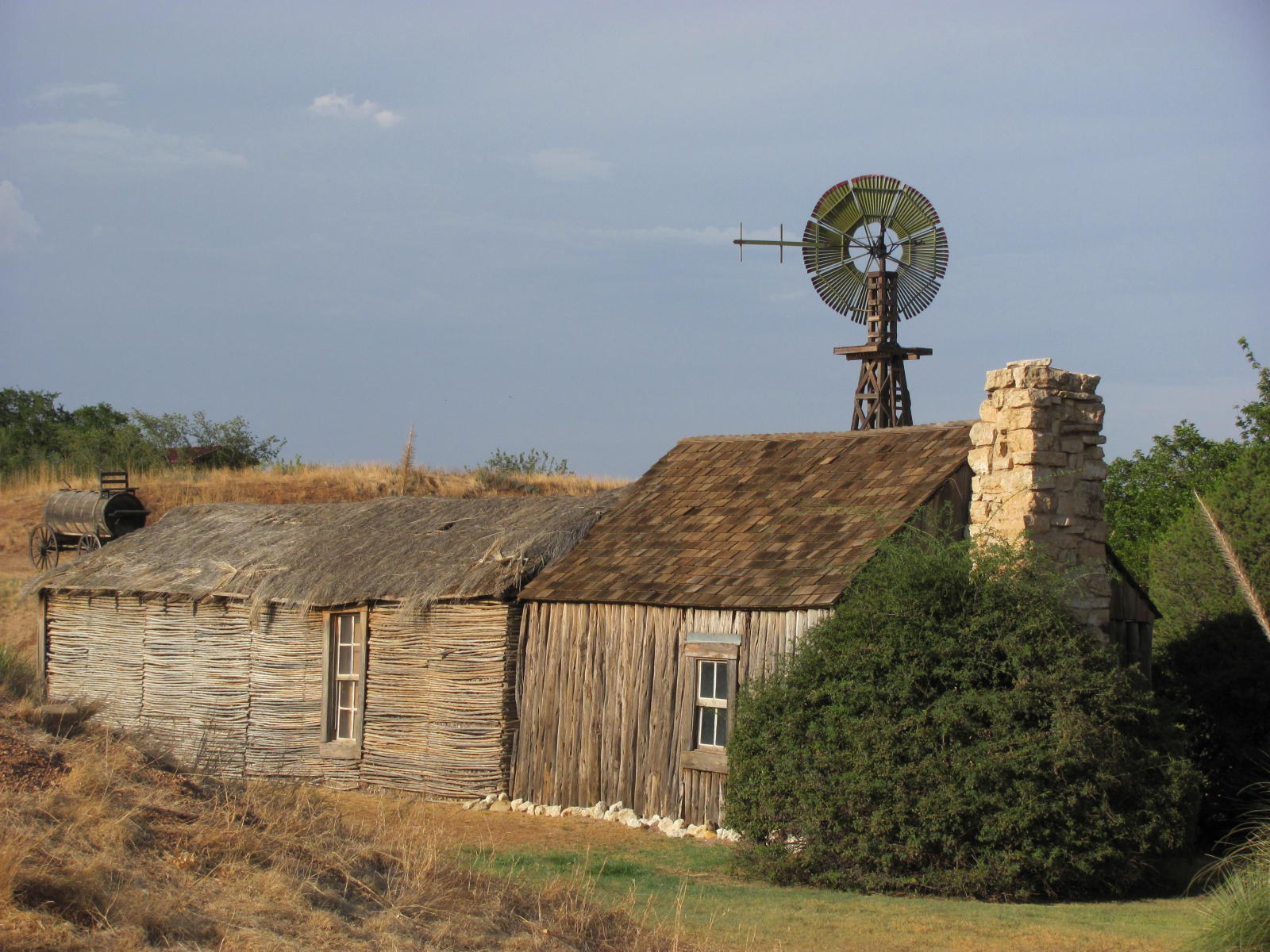
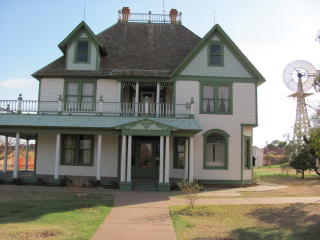
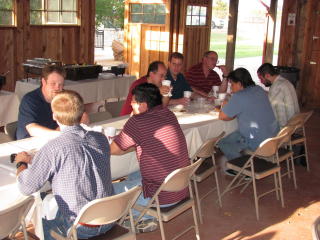
Last night we ate at the National Ranching Heritage Center as part of social get together. The food was great! I had a great time talking other CMS collaborators as well. I talked with some T3 admins from UC Riverside and Baylor, learning about what is like to run a T3 (and talking some Big Bang Theory).
I also talked with Horst from OU to find out that they are no longer running the CoLinux cluster on their desktop machines. Rather, they are using VMWare to run Linux inside Windows on their desktops. Something like 1600 cores.
The heritage center had a number of historical buildings from around the area.
The talks have been good. Here's a quick picture from Doug's Globus Online talk.

Subscribe to:
Posts (Atom)